
Compiling libcaca for Windows using Visual Studio 2012
As the authors describe it, “libcaca is a graphics library that outputs text instead of pixels, so that it can work on older video cards or text terminals“.
I’ve always been fascinated by console-based applications and the ingenuity that some programmers have demonstrated when trying to provide a usable and attractive UI through ASCII characters.
From file managers (such as Midnight Commander), MOD Trackers, graphing calculators, games to even video players. At “the time”, everything worked on a text-based console using simple ASCII characters and some very clever tricks.
Even I had to develop several console-based UIs in my days.
Unfortunately, I can’t find any those programs (nor their source code) but as soon as I do, I’ll post some screenshots here.
Those days are now over, but we can still get a nostalgia fix through a library known as “caca” (which happens to mean “shit” in Spanish).
VLC is among the few programs that still uses this library… just for the kicks of it. I guess because “they can” as there isn’t any useful need to use it. Or is it?
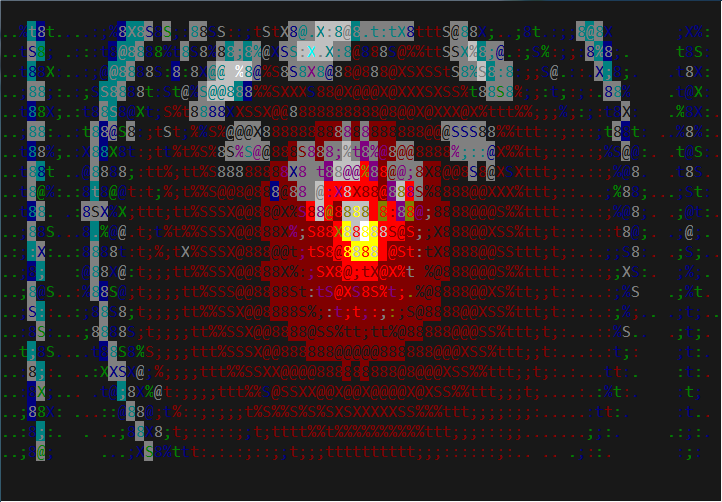
Scene from 2001 using libcaca as the video output in VLC
I just find it mesmerizing looking at a movie in text mode; it’s just mind-melting, if there is such a thing.
Well, let’s get to the point
A few days ago I found that Caca Labs had released a new version of the libcaca library which included a c# wrapper!
So I went ahead and downloaded it, just to find out that you need to compile libcaca from scratch.
The included project is for Visual Studio 2010, and I’m using 2012 so I knew right away that there would be problems and my knowledge of C/C++ has considerably worn off over the years.
Anyway, after a few tweaks and changes I was able to get Visual Studio to compile it!
Here’s the list of changes that I had to make to get it to compile
Note that I know almost nothing about C so I’m not sure why these were required or if they are even valid, but the thing is that it worked.
The project creates a ton of C2275 errors, which according to a post at StackOverflow, indicate that the code does not conform to the C89 specification, where all variables must be declared at the beginning of the function.
For example, this function:
int caca_set_figfont_width(caca_canvas_t *cv, int width)
{
    if (!cv->ff)
        return 0;

    caca_charfont_t *ff = cv->ff;

    ff->term_width = width;

    update_figfont_settings(cv);

    return 0;
}
Needs to be rewritten so that the
caca_charfont_t
declaration appears at the beginning of the function. Here’s the refactored version:
int caca_set_figfont_width(caca_canvas_t *cv, int width)
{
    caca_charfont_t *ff = cv->ff;

    if (!ff) return 0;

    ff->term_width = width;

    update_figfont_settings(cv);

    return 0;
}
The same thing needs to be done for all functions reporting the C2275 error.
The figfont.c file contains an enum defined inside a
caca_charfont
structure and the values of the enum are used across the file as if their scope were public and without any references to the structure itself. I just can’t imagine how this could work under any language.
Here’s the original version of the structure declaration:
struct caca_charfont
{
    int term_width;
    int x, y, w, h, lines;

    enum { H_DEFAULT, H_KERN, H_SMUSH, H_NONE, H_OVERLAP } hmode;
    int hsmushrule;
    uint32_t hardblank;
    int height, baseline, max_length;
    int old_layout;
    int print_direction, full_layout, codetag_count;
    int glyphs;
    caca_canvas_t *fontcv, *charcv;
    int *left, *right; /* Unused yet */
    uint32_t *lookup;
};
Moving the enum outside the structure and making it public, solved the problem:
enum modes { H_DEFAULT, H_KERN, H_SMUSH, H_NONE, H_OVERLAP };

struct caca_charfont
{
    int term_width;
    int x, y, w, h, lines;

    enum modes hmode;

    int hsmushrule;
    uint32_t hardblank;
    int height, baseline, max_length;
    int old_layout;
    int print_direction, full_layout, codetag_count;
    int glyphs;
    caca_canvas_t *fontcv, *charcv;
    int *left, *right; /* Unused yet */
    uint32_t *lookup;
};
At this point we are left we a bunch of IntelliSense errors, complaining about invalid casts, but this does not prevent the project from successfully compiling.
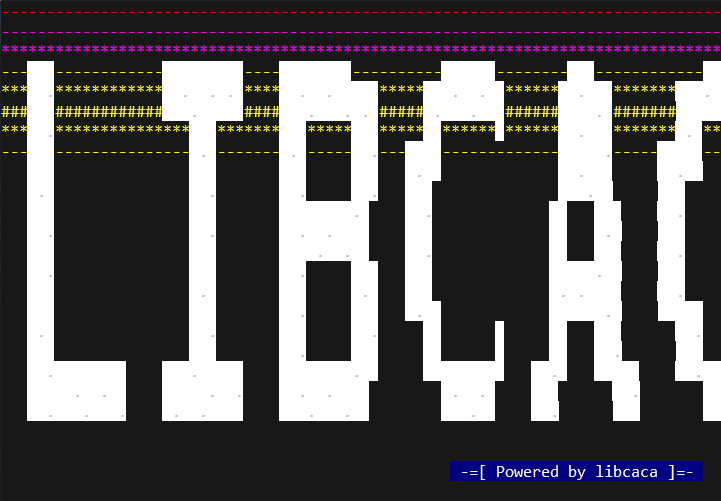
SharpCaca Demo
Here’s a link to download the “corrected” libcaca win32 Visual Studio 2012 project, which also includes the SharpCaca wrapper and the compiled libcaca.dll binary:
LibCaca for Windows Binary and Source Code (3663 downloads )

Recent Comments